
tools
Using the AI Risk Manager
The Risk Manager gives you a second, advisory opinion on a published signal: a score, a written report, five trading schools and a set of chart studies. This guide covers how to fill the form, what each number means, and what spends your quota.
The Risk Manager is an advisory second opinion on a signal you can already see. You pick a published signal, run the analysis, and get a score, a written report, five trading schools judging the same setup and a set of chart studies. It never opens, closes or blocks a trade, and the decision stays yours.
Open Risk Manager from the panel
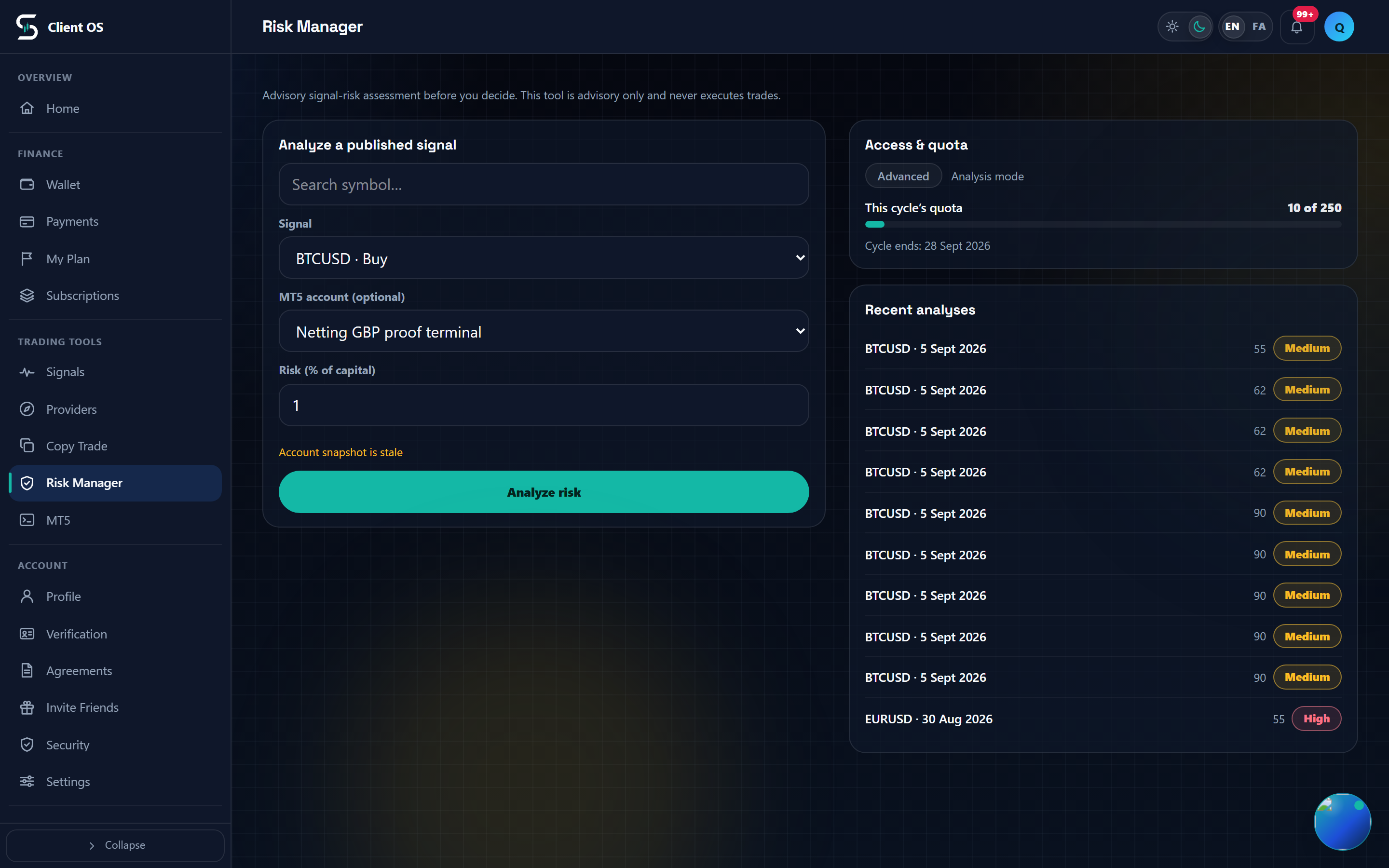
In the panel menu, under Trading tools, open Risk Manager. The page starts with the line "Advisory signal-risk assessment before you decide." Only subscriber and provider accounts get the form; any other role sees an empty state. If Risk Manager is switched off at your level, or your level cycle has expired, a banner reading "Risk Manager is locked at your level" sits above the form with a "View plans" button, and the "Analyze risk" button stays disabled.
Pick the signal you want checked
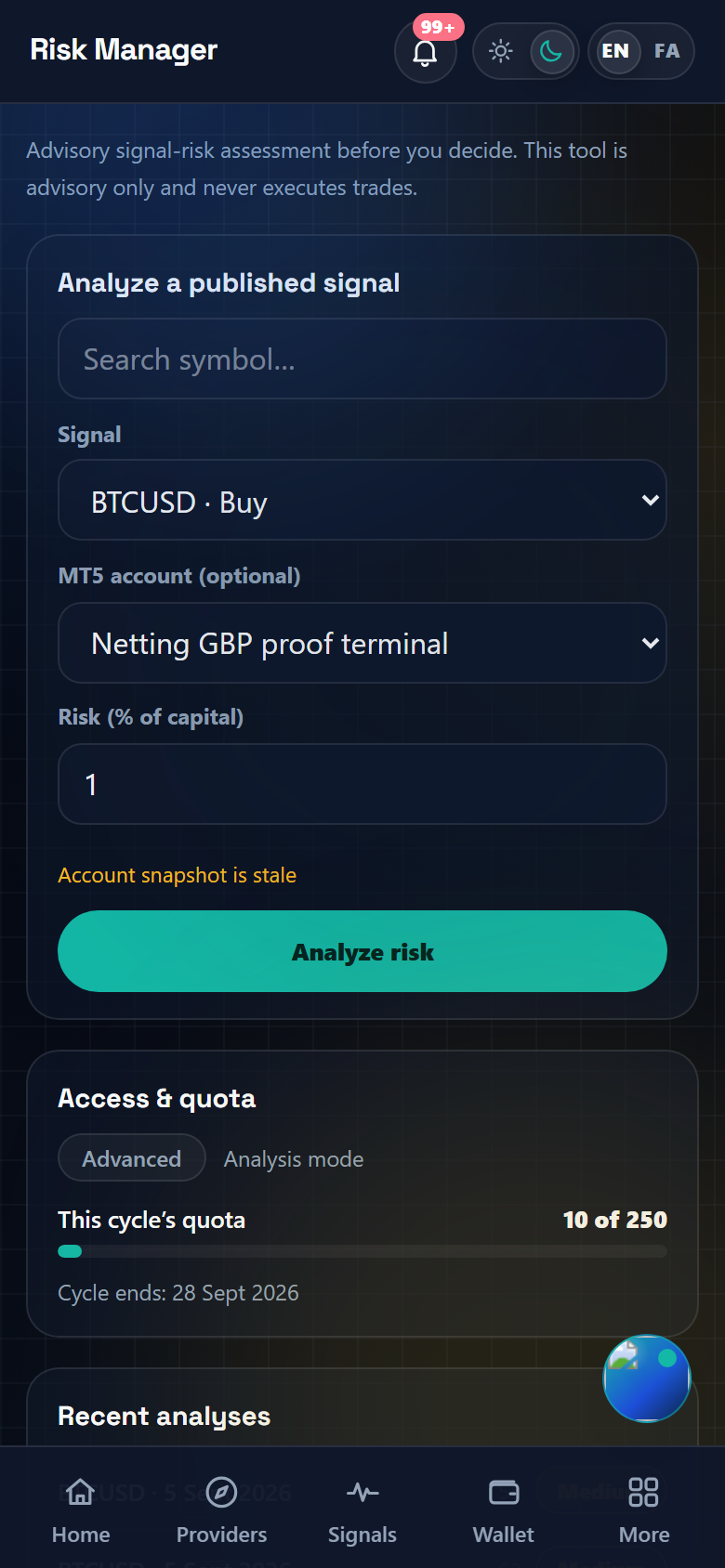
In the "Analyze a published signal" card, choose from the Signal dropdown; each option reads as symbol · Buy or symbol · Sell. Past 8 signals a "Search symbol…" box appears above the list. With no signals at all you get "No signals to analyze yet" instead of the form. Arriving from a signal page through "Run risk check" preselects that signal, but the picker only loads the 50 most recent signals, so if the linked one is not in that page the selection quietly falls back to the newest signal. Check the symbol before you press the button. A provider can only analyze their own signals, and a subscriber only the signals their subscription or channel access already shows them.
MT5 account and risk percentage (subscribers only)
Two more fields render for subscribers only. "MT5 account (optional)" lists only the accounts an admin has verified and that are not pending, rejected, suspended, disabled, failed or disconnected. "Risk (% of capital)" starts at 1, steps by 0.1, and must be above 0 and at most 100. Providers see neither, so a provider run is never personalized and never produces the money card. With no verified account you get the hint "Connect an MT5 account and start the agent to see money-at-risk and suggested volume." plus a "Connect MT5 account" link, and the analysis still runs without it. If an account exists but the agent is not ready, a line such as "Agent is offline" or "Account snapshot is stale" appears under the fields; a snapshot counts as fresh for two minutes. An account you selected explicitly that has since become unavailable makes the run fail instead of falling back to an unpersonalized one.
Run the analysis
Press "Analyze risk". The button becomes "Analyzing…" and a skeleton fills the result area until the result lands. It stays disabled while a run is in flight, while no signal is selected, and while the feature is locked. Starting a second analysis before the first finishes is refused, and re-sending the same request returns the previous result instead of spending quota twice. A failure shows one line above the button, for example "Analysis failed; try again."
Read the verdict and the risk report
"Analysis result" opens with a "Risk level" chip (Low, Medium or High), followed by three metrics: Score and Analysis confidence, both out of 100, and Reward : risk. The chip color follows the risk level, not the score. Below it, "Risk report" carries the written verdict: a recommendation pill ("Normal risk acceptable", "Reduced risk only", "Wait for confirmation" or "Avoid for now"), an "AI summary", then "Strengths" and "Warnings", then "Score breakdown" with a Pass, Warn, Fail or Info pill per model, and "Suggestions" at the end. If you see "AI analysis was unavailable; the deterministic rule-based result is shown.", the score, the schools and the studies are still real and only the written report is missing.
Compare the five schools and the chart studies
"Five schools of trading" judges the same setup from five careers: Van Tharp (position sizing and R-multiples), Charles Dow (trend and confirmation), Richard Wyckoff (cause and effect), Alexander Elder (triple screen) and the Turtle rules of Dennis and Eckhardt. Each row shows a score, the question that school asks and its verdict ("Agrees", "Mixed", "Against" or "Could not judge"), with the consensus stated above the list. "Technical studies" reads the chart itself on H1 candles: RSI (14), Ichimoku Kinko Hyo, Trendline and market structure, Moving averages (EMA 20/50) and MACD (12/26/9), with the bar count and the data source named in the header. A row with too little data shows a dash rather than a low score, and disagreement between rows is the part worth reading. Both panels close with "Advisory only. Nothing here opens, closes or blocks a trade."
Your money on this trade
When the run was personalized by an MT5 account and an account capital figure came through, the "Your money on this trade" card appears. Account capital, Risk on this trade and Open positions always render. Suggested volume, Estimated margin, Free margin after entry and the whole "If the market moves against you" block, with its 0.5%, 1%, 2% and 5% adverse moves, are hidden whenever the computed volume is zero or unusable, which most often happens when the broker's symbol spec is incomplete. Those rows are dropped rather than shown as zero, so nothing reads as a confident number. A stale snapshot does not remove the card; it only raises the readiness hint under the form, and the figures come from the last state the agent reported.
Where to look next
The right column refreshes immediately after each run: "Access & quota" shows your Analysis mode (Locked, Basic, Advanced or Full), "This cycle's quota" as used-of-limit or "No cap", and the "Cycle ends" date. "Recent analyses" keeps the last 10 runs with their score and risk level, so check that list before spending quota on a repeat.